
Download WinEsquema – flowchart, diagram, graph editor, lightweight tool, HTML export, customizable design, Windows utility
Overview
WinEsquema is a compact, productivity-focused utility designed to assist users in creating flowcharts and various types of diagrams. At just 200KB in size, it stands out as a lightweight solution for visualizing processes, workflows, and data relationships. The application is particularly useful for individuals who need a quick, efficient tool for diagramming without the overhead of larger software suites. Its primary purpose is to enable users to design, connect, and customize graphical elements such as boxes and lines with minimal effort.
Target users include students, educators, technical writers, and professionals who frequently need to present information visually. The app is especially beneficial in academic or documentation settings where clarity and simplicity are key. Despite its minimal footprint, WinEsquema supports a range of design customization, including font selection, color application, and shadow effects, which enhances the visual quality of created diagrams.
Developed by Ryan J. Boudreaux, the tool reflects a focus on accessibility and efficiency. Although the developer did not provide additional technical details, the app’s longevity—released in 2006—suggests reliability and sustained usability. In the broader software ecosystem, WinEsquema fills a niche for minimalistic, no-frills diagramming tools on Windows, offering a lightweight alternative to more complex applications.
Key Features & Functionality
- Lightweight Design: At under 200KB, WinEsquema requires minimal system resources, making it ideal for older or low-spec Windows devices. Its small size allows for rapid installation and immediate use without long download times or storage concerns.
- Simple Interface: The app features an intuitive layout that enables users to create and connect boxes with straightforward operations. This ease of use lowers the learning curve, allowing both beginners and experienced users to produce diagrams quickly.
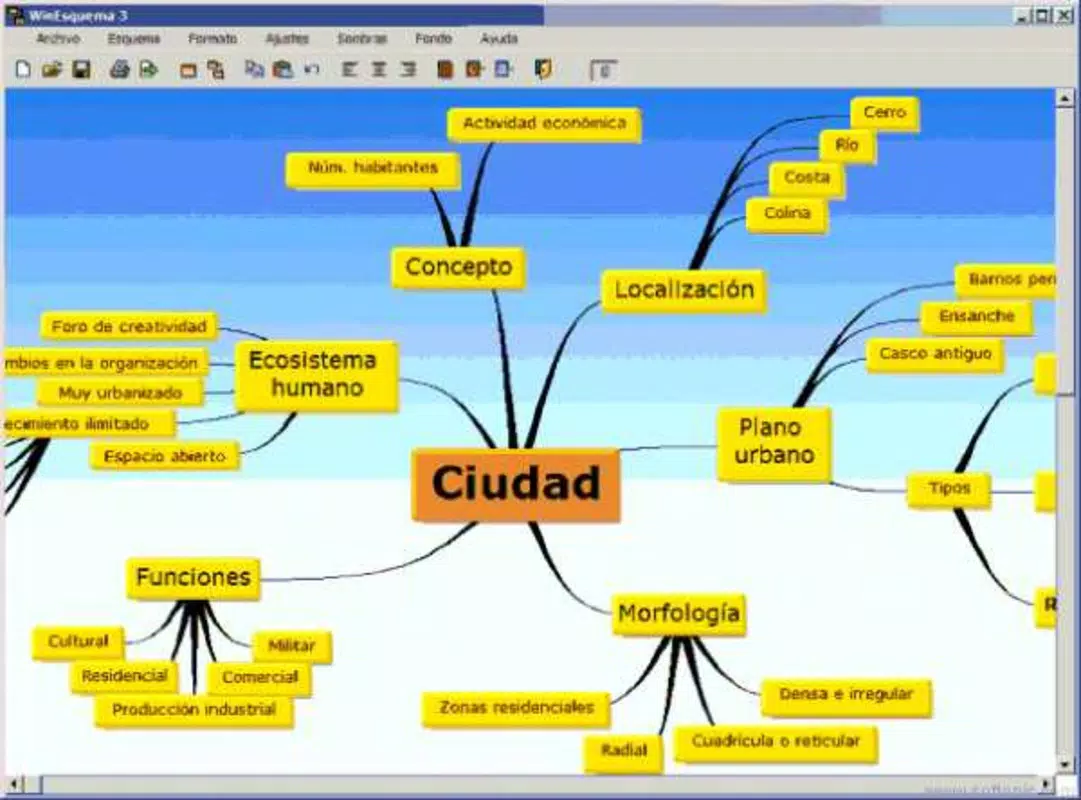
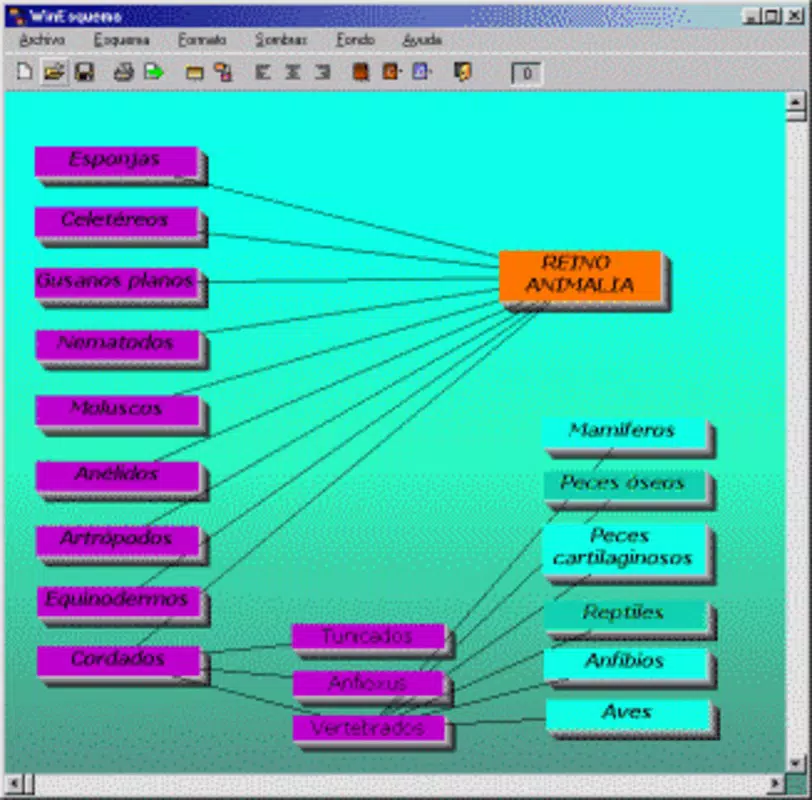
- Customizable Visuals: Users can apply any font to text elements, adjust colors, and add shadows to enhance the aesthetic appeal of their diagrams. This flexibility supports diverse presentation styles, from academic papers to project planning documents.
- HTML Export Functionality: A notable feature is the ability to export finished diagrams directly to HTML format. This enables seamless integration into web pages, blogs, or online documentation, enhancing sharing and accessibility.
- Multi-Use Diagram Support: While primarily used for flowcharts, WinEsquema supports various graph types, making it a versatile tool for visualizing processes, hierarchies, and logical structures across different domains.
For example, a student could use WinEsquema to map out a research process, applying custom fonts and shadows to highlight key steps. A teacher might create a classroom workflow diagram and export it as HTML to embed in a course website. These real-world applications demonstrate the tool’s practical value in both educational and professional environments.
Interface, UX & Performance
WinEsquema presents a clean, no-nonsense interface optimized for diagram creation. The layout centers around a canvas area where users can place and connect boxes, with basic tools accessible through a toolbar. Navigation is straightforward, relying on mouse-driven actions for positioning, resizing, and linking elements. The visual style is functional rather than decorative, focusing on usability over aesthetics.
Although the developer did not list formal performance metrics, the app’s minimal size suggests efficient operation even on older Windows systems. It likely maintains responsive behavior during typical use, such as adding nodes, adjusting connections, or applying design changes. Stability appears to be a strength, given the app’s release date and continued availability.
Performance across different device categories is not formally documented. However, the lightweight nature of the application implies it should function smoothly on a wide range of Windows devices, including those with limited processing power or memory. Responsiveness during editing is expected to be consistent, with minimal lag or delays in rendering changes.
Platform Compatibility & Technical Requirements
WinEsquema is designed for the Windows platform. The application is compatible with Windows operating systems, though specific OS versions were not listed by the developer. The file size is 200KB, which indicates a highly optimized build that requires minimal storage space.
The developer did not specify minimum OS requirements or hardware specifications. As such, users should ensure compatibility with their current Windows environment. The app is available as a free download, with no in-app purchases or subscription fees. It is not currently available on mobile platforms or other operating systems.
Pros and Cons
Pros
- Extremely lightweight at just 200KB, ideal for low-storage environments
- Simple, intuitive interface suitable for users of all experience levels
- Supports customizable design elements including fonts, colors, and shadows
- Offers direct HTML export for web integration and sharing
- Free to download and use with no hidden costs
Cons
- Not available on mobile platforms or non-Windows operating systems
- Limited feature set compared to modern diagramming tools
- Specific OS compatibility details were not provided
- No built-in collaboration or cloud sync capabilities
- Development activity appears inactive since 2006
FAQ
Is WinEsquema safe to download and install?
Yes, WinEsquema is a free utility with no known malware or security risks. It is distributed as a standalone executable, and its small size suggests it does not include unnecessary components.
Can I use WinEsquema on Windows 10 or Windows 11?
While the developer did not specify compatibility with modern Windows versions, the app’s lightweight design suggests it may run on Windows 10 and 11. Users are advised to test it in a safe environment if unsure.
Does WinEsquema support exporting to other formats besides HTML?
The provided information only confirms HTML export functionality. No other export formats were mentioned.
Is WinEsquema updated regularly?
WinEsquema was released in 2006, and no recent updates have been reported. The app appears to be in maintenance mode with no active development.
Can I use WinEsquema for professional documentation?
Yes, its ability to create clean, customizable diagrams and export to HTML makes it suitable for informal or educational documentation. However, users requiring advanced features may need more modern tools.
Final Thoughts
WinEsquema remains a niche but functional tool for users seeking a lightweight, no-cost solution for creating flowcharts and diagrams on Windows. Its minimalist design, intuitive interface, and HTML export feature offer tangible benefits for students, educators, and professionals who value efficiency and simplicity. While it lacks modern features like cloud storage, real-time collaboration, or mobile access, its core functionality remains effective for basic visual planning tasks.
For those working in constrained environments or needing a quick diagramming tool without installation overhead, WinEsquema delivers reliable performance. Its enduring presence since 2006 speaks to its stability and practicality. If you’re looking for a secure, free, and straightforward way to visualize processes on Windows, this utility is worth considering.
Download WinEsquema now


